Getting Started
HACS
Make sure you have HACS installed
If not, check the HACS Instructions. Supernotify is one of the default repositories in HACS so no custom repo configuration required
Installation
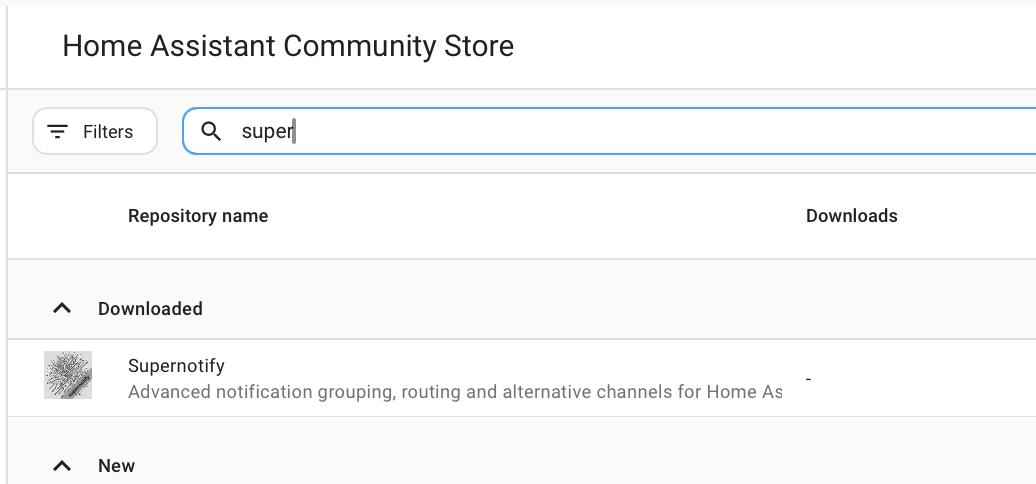
From the HACS page on Home Assistant, select Supernotify in the list of available integrations
Configure
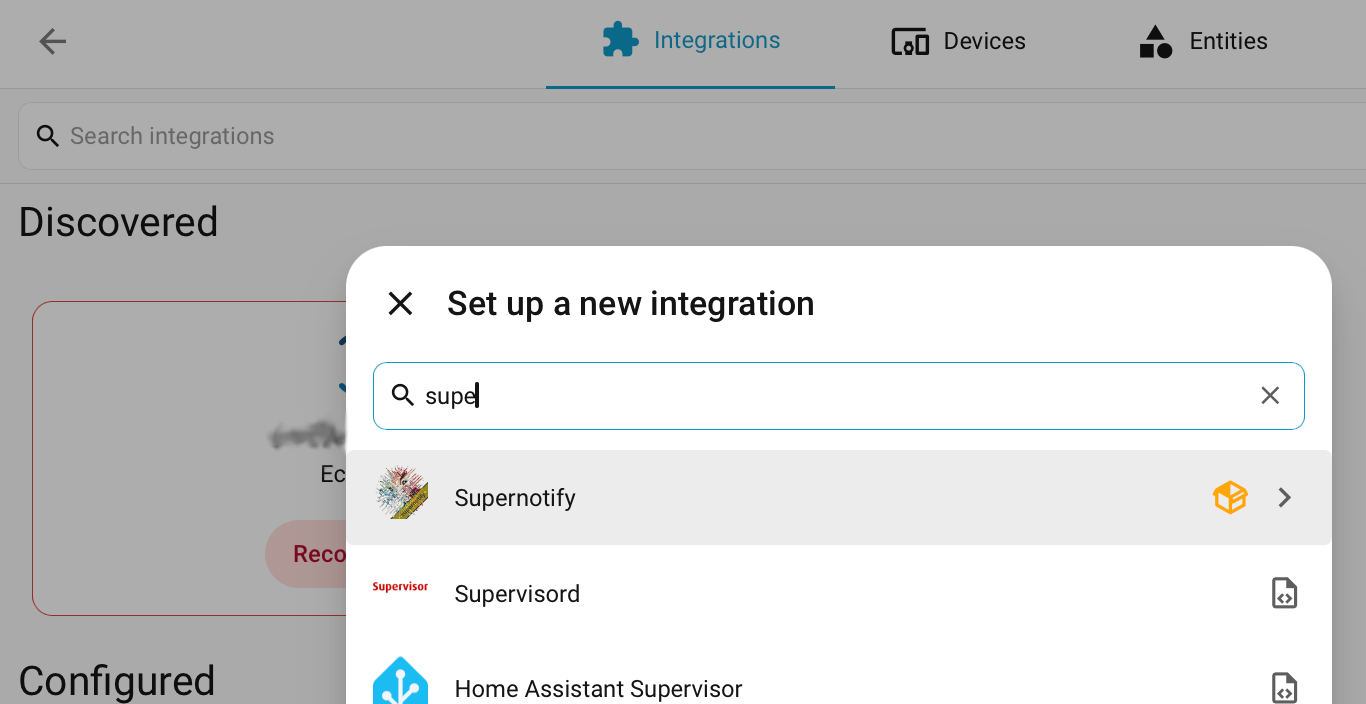
For a zero-configuration setup with everything auto-discovered (mobile push, an existing SMTP integration or any notify entities, recipients from Home Assistant persons), go to Settings → Devices & Services → Add Integration and search for Supernotify.
Archive, duplicate detection and housekeeping settings can be adjusted afterwards from the integration's Configure option.
This will build a delivery channel for every transport mechanism it can find, plus some convenience ones, like chime_siren_all and alexa_devices_announce_all that will be created if you have those devices.
Advanced configuration, like custom deliveries, transports, scenarios, recipients and fine-tuning cameras are still configured via YAML fornow - see the Configuration pages.
Send
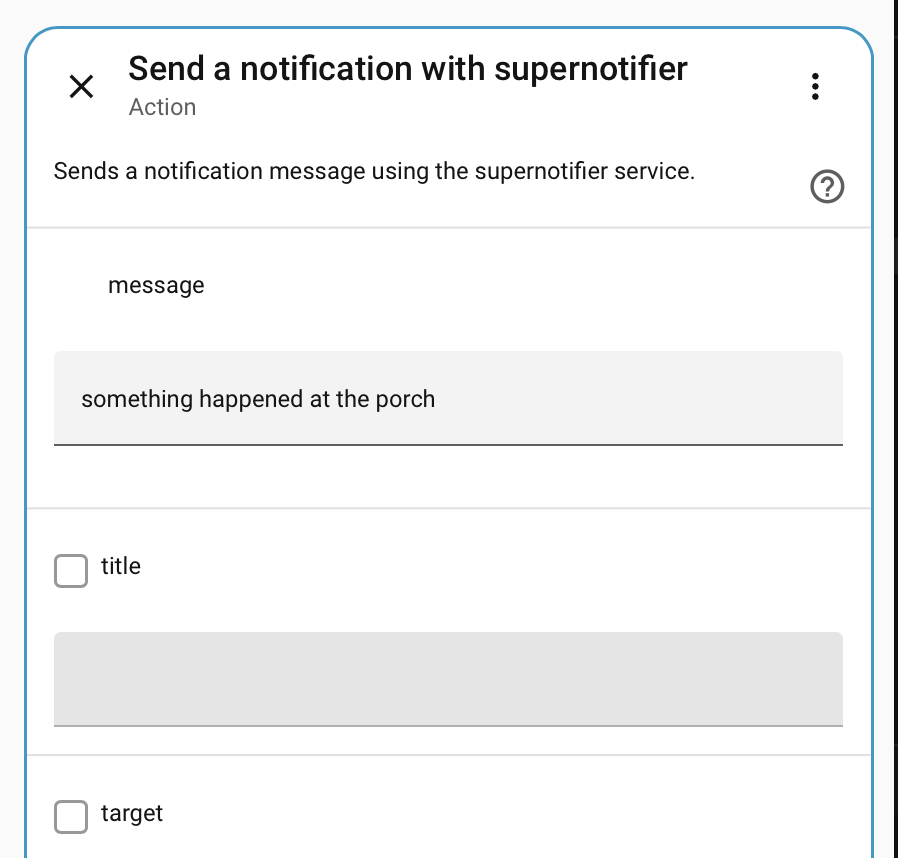
Send a test notification from Tools Action Tab or start sending notifications from automations. Use the supernotify.notify action to craft the notification, which can be nothing more than a single message.
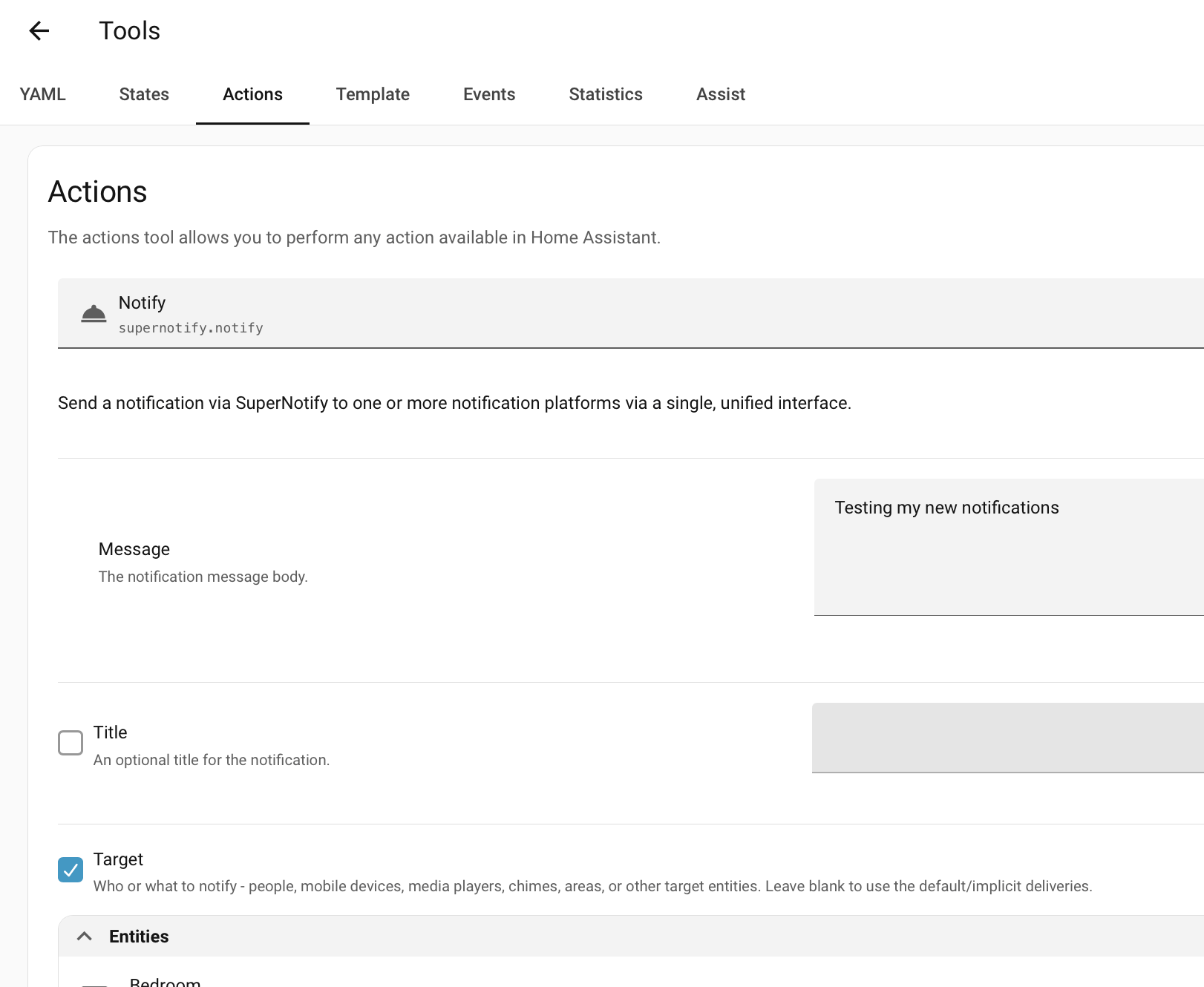
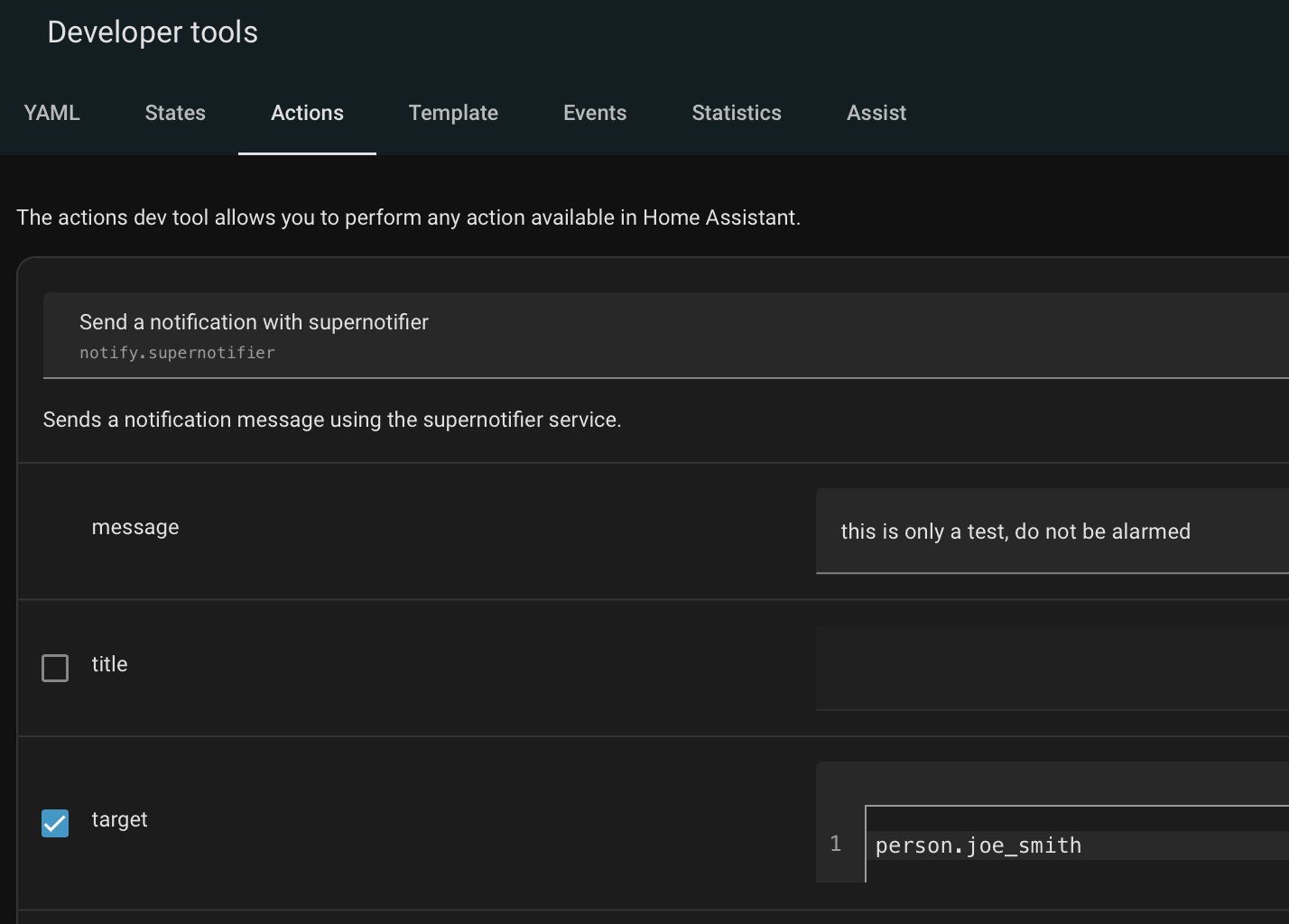
This first notification will go out all mobile devices in the house. To limit it, list the mobile devices, or the person entities as targets in the notification:
If you have Alexa Devices, use alexa_devices_announce_all or alexa_devices_speak_all in the Delivery box. (Announce has an extra introductory chime vs plain speak). You can combine these with email and mobile app notifications in a single notification.
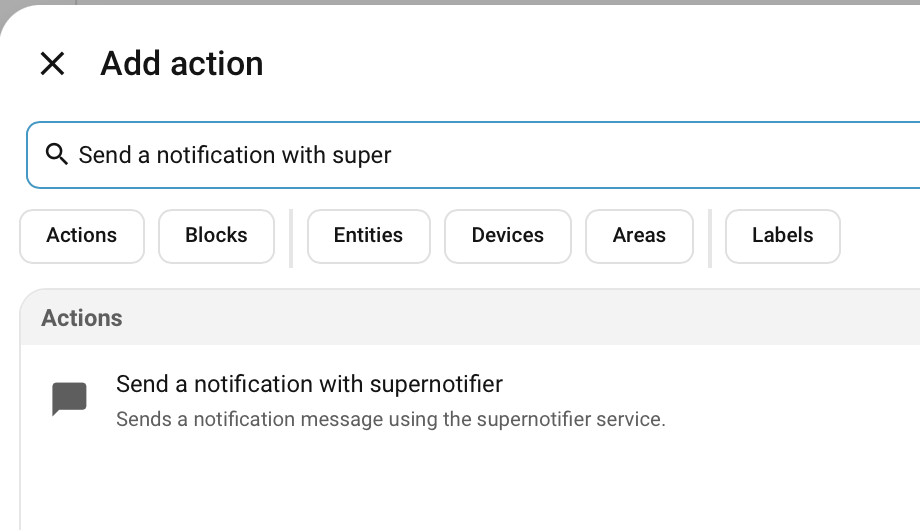
Add a Notification Action to an Automation
Add to the Dashboard
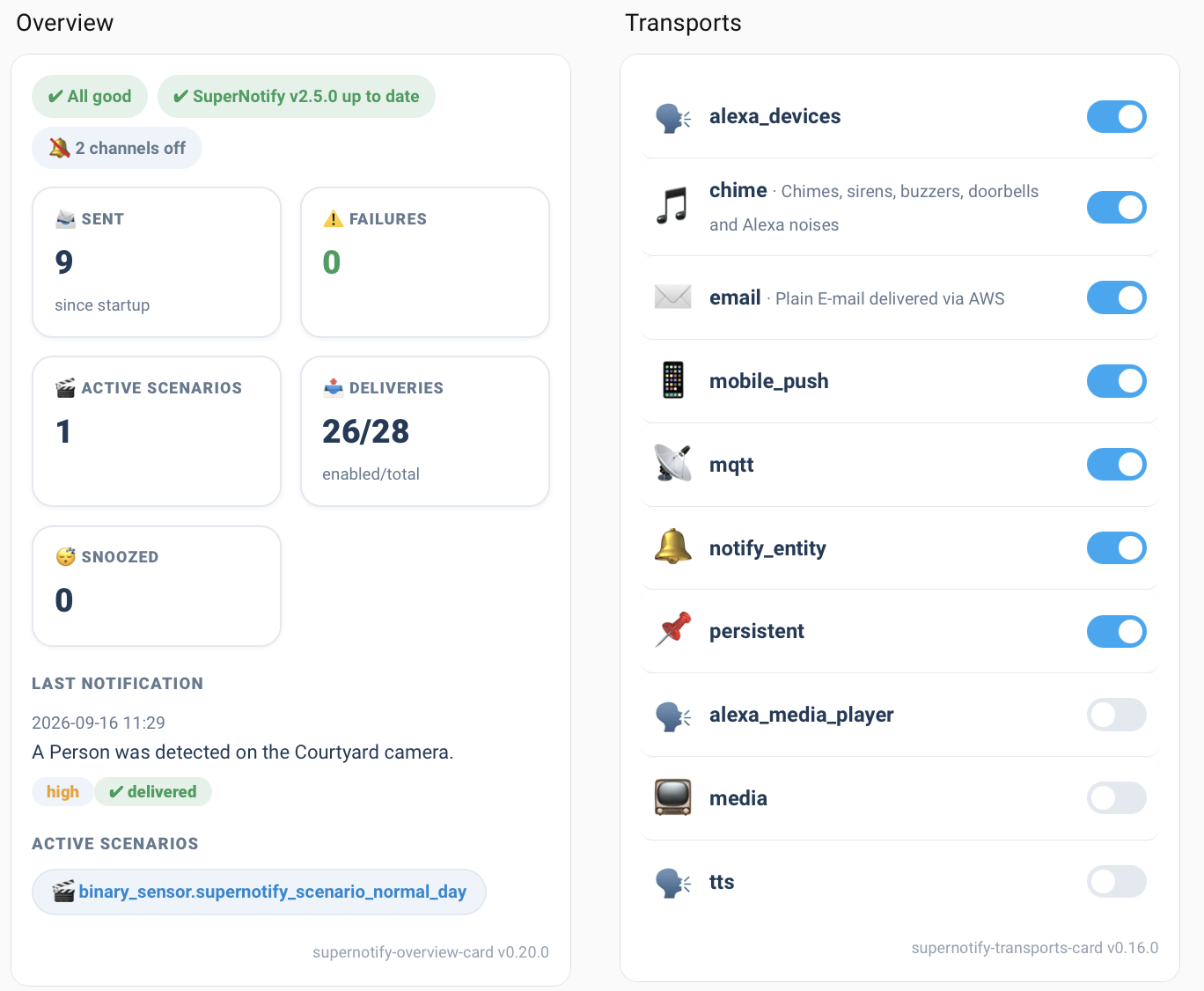
Supernotify Cards has lots of focused dashboard cards to control and monitor notifications, send out manually, or test configurations.
Removal
From the HACS menu, select Supernotify and chose Remove from the ... menu.
Cleaning Up Config
- Any manually created YAML files in the
configdirectory will be untouched, remove these manually if confident they won't be needed again. - Any archived notifications will remain, by default in
/config/archive/supernotifydirectory unless configured otherwise. Remove this directory if needed. - If using cameras or image attachments, media files may be left, by default in
/config/media/supernotifydirectory unless configured otherwise. Remove this directory if needed. - Templates may be left behind, by default in a
supernotify/templatesdirectory under your Home Assistant config directory unless configured otherwise. Remove this directory if needed.
Be Inspired
Find lots of ideas with example configuration in the Recipes.