People
While Home Assistant has both a Person and User, neither are directly useful or extensible for notifications and occupancy checks.
Supernotify adds a People Registry for notifications and occupancy, which builds on top of the Home Assistant entities ( and will be retired/adapted when Home Assistant does have this support). The term Recipient is used for what Supernotify manages, to distinguish from the Home Assistant terms.
With the recipient definition you can:
- Define an email address just once, and then refer to the target as
person.joe_soapin notification calls - The person entity_id will automatically be replaced by the e-mail address for deliveries that take e-mail
- Likewise for phone numbers, for SMS, and for mobile devices
- For mobile apps, with automatic discovery, the People Registry finds them for you, no config needed
- Also register custom targets, like Discord, Telegram etc IDs, that could be used in a Generic delivery
- Switch off a recipient, even if they were automatically discovered
- Set default targets for specific deliveries, so for example, an email address is always copied in on them
- Create a Notify Entity for that person, which will use any or all of the delivery transports enabled for them.
- The Notify Entity for Recipient can also be a member of a Notify Entity Group
Automatic Recipient Discovery
The registry is automatically populated from all Person entities defined in HomeAssistant, unless you switch this off using recipient_discovery: false in the configuration. And sice each Recipient is automatically populated with all their mobile devices, an empty YAML config can do a lot.
 recipients:
    - person: person.new_home_owner
      enabled: false
Automatic Mobile App Discovery
By default, all the mobile devices registered in Home Assistant are discovered and associated with the recipient.
A mobile app with no notify action is skipped, since it can't be notified. An Apple Watch is the usual case, it registers with Home Assistant as its own mobile app, but takes its notifications by way of the paired iPhone.
This can be switched off by default for everyone from the UI config:
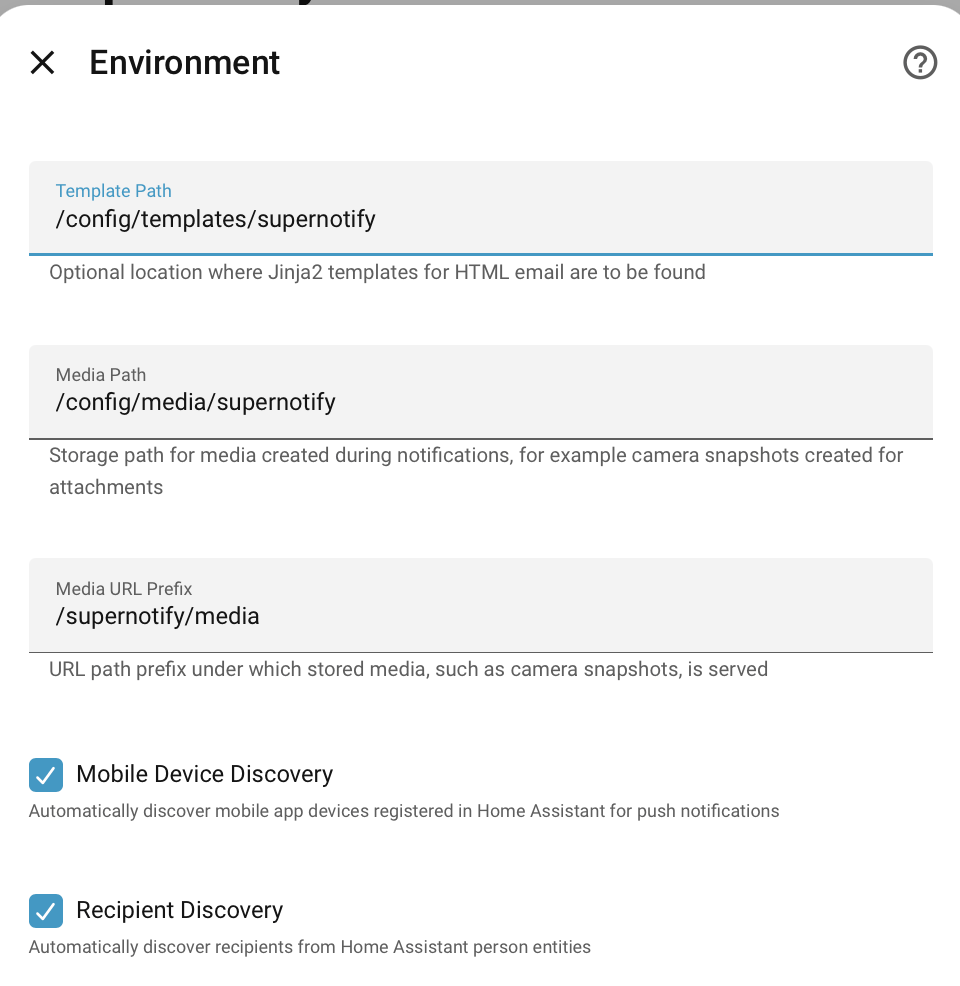
or using, the advanced YAML config, per recipient:
It is also possible to have discovery off by default at platform level, then selectively re-enabled for the folk you want, using the recipients configuration.
If you want to do the device registration manually, see Manual Device Registration
Users without Person entries
Home Assistant optionally supports Person entries, useful for device tracking, but these are not mandatory.
From version 2.9.0, Supernotify will also discover users and mobile app devices that only have user accounts, and generate recipients for them if auto discovery is on. Its still better to have Person records, to take advantage of occupancy and location tracking across multiple devices, plus person entities can be selected from the Target Selector.
Occupancy only counts People
Home Assistant uses the Person to say who is home or away, and Supernotify follows that. A recipient without a Person, such as the account a wall tablet logs in with, still gets notified, but never counts towards occupancy - it isn't home or away, so it can't make ALL_AWAY false, or make someone LONE_HOME. Being neither in nor out, it's always left out of only_in and only_out deliveries, which pick recipients by where they are. Deliveries whose occupancy is about everyone, like all, any_in or all_out, still include it whenever the People's occupancy lets them through.
Disabling Auto Discovered Devices
Its usually easier to let Supernotify automatically find devices, and only intervene when there's one you don't want, or isn't working. Use the enabled flag to stop this being used for notifications.
recipients:
   - person: person.joe_mctest
     mobile_devices:
       - mobile_app_id: mobile_app_joes_broken_phone
         enabled: False
If for some odd reason auto-discover doesn't find a device, you can enable it by listing it under mobile_devices in a similar way (enabled defaults to True).
Missing Mobile Apps
At start up, each enabled mobile device of a recipient is checked for a matching notify.mobile_app_XXXX action. If there isn't one, for example because the phone was replaced or the Home Assistant app removed from it, a repair is raised in Home Assistant. Remove the device from Home Assistant, or disable it as above, to clear the repair, or ignore the repair in Home Assistant if the device is only away for a while.
A notification that includes a device with no action still goes to all the other targets. The device is snoozed for a day, and the failed call is listed in the archived notification.
Sending Notifications
This means you can do multi-channel notification with a single reference to a person entity in a notification, and automatically the email, phone number, mobile app notification service, or whatever else is used as appropriate in each notification. This is all it takes:
  - action: supernotify.notify
    data:
        title: Security Notification
        message: Something went off in the basement
Since by default everyone in the people list gets every notification, you don't even need to define targets at all in each automation/script/blueprint/appdaemon app.
If you want to pin it down to specific people, add a list of targets ( you can also mix and match this target list with email addresses, notify entities, or direct mobile actions ).
  - action: supernotify.notify
    data:
        title: Warning All Kids
        message: Something happened and we are unhappy
        target:
         - person.johnny_mctest
         - person.jeanie_mctest
         - person.jolly_mctest
Entities
Each recipient has a switch.supernotify_recipient_XXXXX entity, on the SuperNotify device, that is the recipient enabled flag. Turning it off ( by main UI, Developer Tools, automations, API or whatever ) disables the recipient, and turning it on enables them again. This lasts across restarts and reloads, until the recipient's enabled value in the configuration is changed, or it is put back as configured using the supernotify.reset_overrides action - see Overrides.
Deprecated
The recipient binary_sensor.supernotify_recipient_XXXXX is kept only for backward compatibility, and will be removed in a future version. It is read-only, mirroring the switch: writing its state no longer enables or disables the recipient. It is not created on a new install, and a repair is raised once in Home Assistant if you have it enabled.
This can be handy if someone should be temporarily switched off for notifications, or you want your own automation to determine which people get notified when.
The entity also exposes the recipient attributes, such as email, mobile devices, target, custom data etc.
Notify Entity
Every recipient is also automatically exposed as its own notify.recipient_XXXXX entity - a real, callable Notify Entity, not just the diagnostic sensor above. It can be targeted directly from any automation, script or Lovelace UI that expects a standard Home Assistant notify target:
    - action: notify.send_message
      target:
        entity_id: notify.recipient_new_home_owner
      data:
        message: Your bin needs to go out!!!
This goes through the full Supernotify delivery pipeline - occupancy, scenarios, personal delivery overrides, de-dupe, snooze - exactly as notify.supernotify or supernotify.notify does, just scoped to that one recipient instead of the whole People Registry.
There is also a notify.recipient_XXXXX action of the same name, for anything that only takes the name of a notify action, like the notifiers of the Alert integration.
Because it's an ordinary Home Assistant Notify Entity, it can be added as a member of a Home Assistant Notify Group helper ( Settings → Devices & Services → Helpers → Add Helper → Group → Notify Group ), to combine several recipients - or a subset of them - under one target, without needing a Supernotify Scenario just for that. These can be a mix of Supernotify provided and other platform Notify Entities.
Note
Home Assistant restricts Notify Entity calls to only message and title - unlike notify.supernotify, there's no data: section for scenarios, priority, media, delivery selection etc. Use the main supernotify.notify action with an explicit target: if you need any of that for a specific recipient.
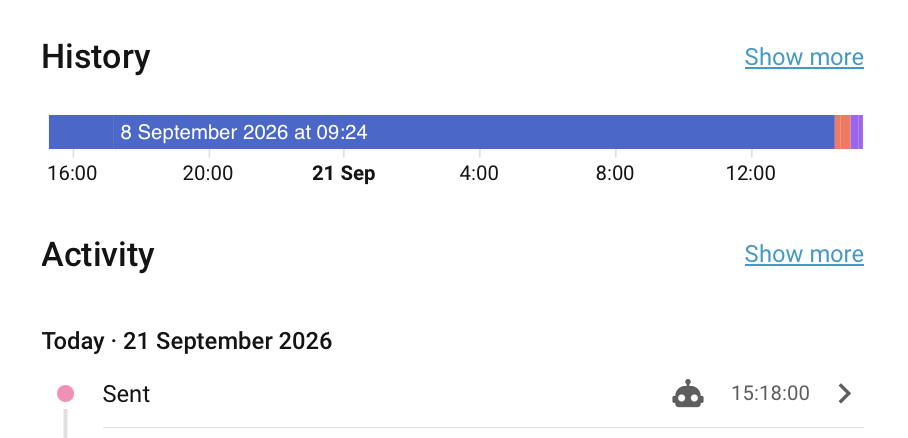
Notify Entities get updated on every notification by Supernotify for that person, regardless of whether the Notify Entity itself was used for it. This also adds context of the original automation, so you can track what happened for a person.
Enabling, Disabling and Overriding Targets per Delivery
A recipient's delivery: block (also used below for per-delivery targets) can switch a delivery on or off just for that recipient, on top of whatever a Scenario or the delivery itself decides for everyone else.
Enabling a Delivery Just for One Recipient
A delivery doesn't need to be turned on for everybody to be useful to one person - an explicit enabled: true in a recipient's own delivery: block switches it on for them alone, or conversely enabled: false to switch it off just for those recipients.
A target: override can also be used, independently of the enabled status, to override the target only for that recipient on that delivery. For example, a Slack delivery built with the Generic Transport that only Jane uses:
delivery:
  slack:
    transport: generic
    action: notify.my_slack_service
    enabled: false
    options:
      target_categories: slack_channel

recipients:
  - person: person.jane
    delivery:
      slack:
        enabled: true # leave this out if the slack delivery is usually enabled for everyone
        target:
          slack_channel: A20H2AN55DX
Nobody else is bothered by Slack messages, since slack was never enabled at the delivery level - only for Jane's recipient entry, and only because she explicitly set enabled: true.
Disabling a Delivery for One Recipient
The opposite works too - a delivery that's already enabled for everybody can be switched off for one recipient, without touching the delivery itself:
delivery:
  html_email:
    transport: email
    template: default.html.j2

recipients:
  - person: person.new_home_owner
    email: jalaboli@myhome.net
  - person: person.grumpy_teenager
    email: leave.me.alone@myhome.net
    delivery:
      html_email:
        enabled: false
Everyone else still gets html_email; person.grumpy_teenager is left out of just that delivery, while still receiving anything else that applies to them (mobile push, other deliveries, and so on).
Adding a Target for One Recipient
The same delivery: block can add extra targets or data to a delivery that's already firing for everyone, rather than switching it on or off entirely - for example, CC'ing an assistant on the household's html_email delivery:
enabled, target and data can be combined in the same block as needed - enabled: false always wins over any target/data set alongside it, since a recipient who's opted out shouldn't still pick up delivery-specific extras.
Manual Configuration
 recipients:
    - person: person.new_home_owner
      email: jalaboli@myhome.net
      phone_number: "+430504103451"
      delivery:
        alexa_announce:
          target:
            - media_player.echo_study
Manual Device Registration
Simple
One good reason for manual device registration is that adding devices to the Person in Home Assistant affects the occupancy calculation that Home Assistant makes. So if you have devices, like an iPad or laptop, that you would like to have notifications on, but aren't always with you, adding them to Person might make it it look as if you're home when its only an iPad sitting on a shelf.
So adding these devices to the recipients section of Supernotify configuration will mean they get included in notifications, but won't be used for occupancy, by Supernotify or other integrations.
recipients:
    - person: person.new_home_owner
      mobile_devices:
        - mobile_app_id: mobile_app_old_laptop
        - mobile_app_id: mobile_app_ipad11
Complicated
Its possible to hold as many details about the device as Home Assistant itself does, although Supernotify does not currently care about manufacturers and models other than for matching rules.
 recipients:
    - person: person.new_home_owner
      alias: sysadmin
      email: jalaboli@myhome.net
      phone_number: "+430504103451"
      delivery:
        mobile_push:
        target:
            - mobile_app.new_iphone
        data:
            push:
            sound:
                name: default
        alexa_announce:
        target:
            - media_player.echo_study
    - person: person.bidey_in
      phone_number: "+4287600013834"
      target:
        - switch.garden_shed_chime
      mobile_discovery: false
      mobile_devices:
        - manufacturer: nokia
          model: 6110
          mobile_app_id: mobile_old
          device_tracker: device_tracker.nokia_6110
      delivery:
        text_message:
        enabled: false