Targets
Home Assistant notifications use target for any address used in a notification - that could be an e-mail address, a phone number for SMS, a Slack/Discord/Telegram ID, a smart speaker or any of the new-style Notify Entities.
Supernotify has the ability to take a big, mixed bag of targets and send off the right notification for that target, and lets you associate targets with people, using the Recipient config, so you can pick a person and that automatically gets their e-mail address or mobile app name for push alerts.
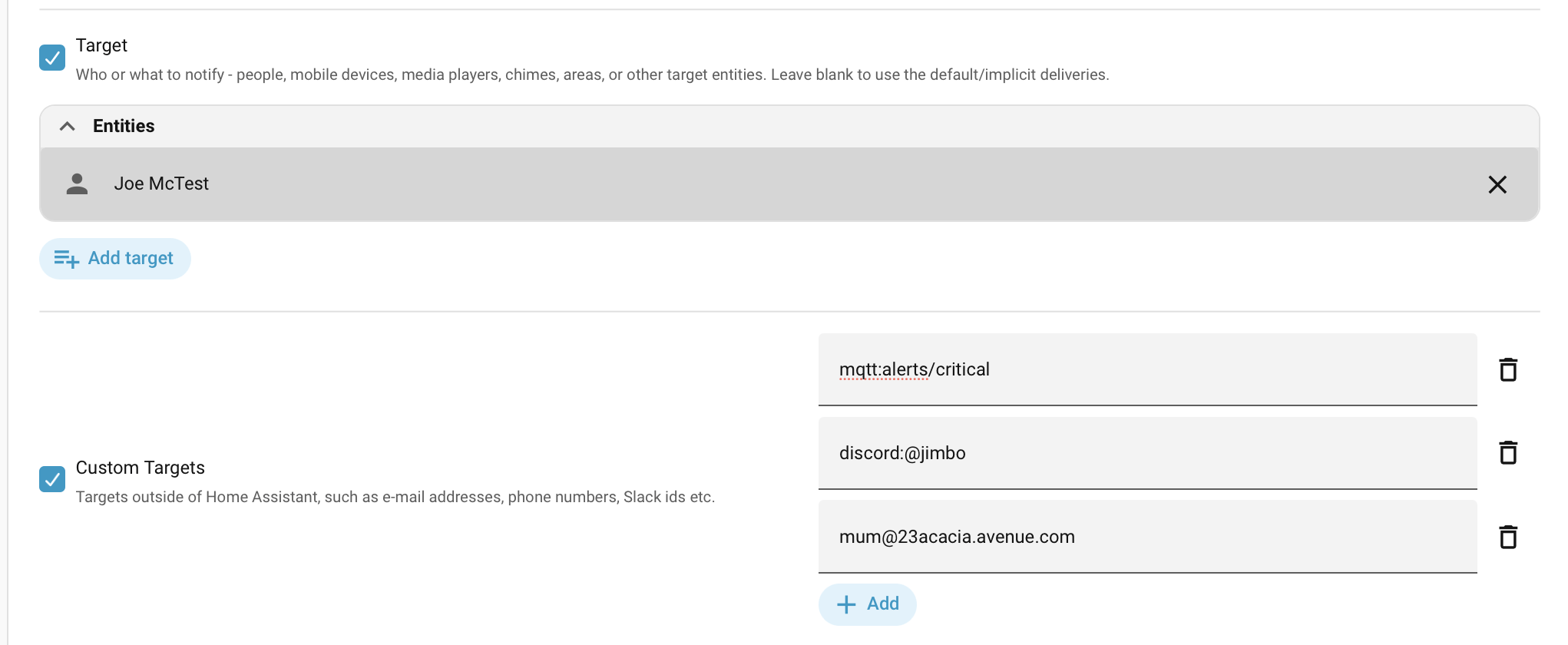
Default Targets
If no target is specified on the action call, a default list will be used based on all the recipients configured or auto-discovered. This usually means everyone with a Home Assistant app on their phone or other device gets a mobile push notification.
To switch the default list off for one notification, give an empty list, target: []. The notification then has no targets of its own and no default recipients, and goes only to deliveries that need no target, or get one from their own configuration or a scenario. A blank target, such as an emptied field in the action's editor, doesn't do this, and is ignored.
Choosing any explicit targets switches this defaulting off. Targets can be re-added manually where needed, and there's a shortcut in the Home Assistant target UI where you choose the Supernotify Device and this will be read as switching back on those "out of the box" targets.
Target Categories
A Target Category identifies what kind of target it is, and how to use it. Some categories are used by multiple transports, like entity_id for Notify Entities or Media Players, and others are unique to one transport, like discord_channel, matrix_room or topic.
Categories marked Auto are recognized from the format of the target itself. The others need to be qualified with a prefix or given in a mapping.
| Category | Auto | Used By |
|---|---|---|
entity_id | Y | Alexa Devices, Alexa Media Player, Chime, HTML5, Kodi, Media Player, Notify Entity, TTS |
device_id | Y | Chime |
email | Y | |
mobile_app_id | Y | Mobile Push, TTS |
phone | Y | SMS |
person_id | Y | Expanded to that person's targets, from their Recipient config |
area_id, floor_id, label_id | N | Expanded to the entities in them |
topic | N | MQTT |
discord_channel | N | Discord |
matrix_room | N | Matrix |
telegram_chat_id | N | Telegram |
Notify Entity
Notify Entities are the newer way of integrating notifications into Home Assistant. A Notify Entity could be one of many things - an e-mail, an MQTT topic, a file on the disk, a HTML5 browser, an Alexa device, or a group of notify entities.
All of these can be handled by the notify_entity integration. However, the send_message action for Notify Entity is very limited, so often there's a second action offered by the platform itself to offer the full range of options. For example, html5.send_message or ntfy.publish. The alexa_devices integration does use the standard send_message call, however since it knows about Alexa, it can craft that message by for example simplifying the text and stripping out URLs so announcements don't come out weird.
Supernotify uses the domain of each Notify Entity to work out if it can be better handled by a dedicated transport, and then if not, falls back to the plain vanilla notify_entity. You don't need to do anything special for target selection for this, though if you don't like it, it can be tuned or switched off.
Area, Floor and Label Targets
Home Assistant's standard target selectors can be used as well as addresses and entities, so a notification can go to "whatever is in the kitchen" or "everything labelled chime", using the same area_id, floor_id and label_id keys as any other Home Assistant action:
  - action: supernotify.notify
    data:
        message: Dinner is ready
        target:
            area_id: kitchen
            floor_id: ground_floor
            label_id:
              - chime
Supernotify resolves them to entities itself, using the same core logic as Home Assistant actions, and then applies each delivery's usual target selection to those entities. An entity in more than one of them - in the kitchen, on the ground floor and labelled chime - is kept just once, and a transport never sees a selector. Unknown areas, floors or labels are logged as a warning rather than silently resolving to nothing.
An action that genuinely knows about areas itself, rather than about the entities in them, takes the area_id in its own extra_data rather than as a target.
Simple Targeting
Simple targeting is a single value, or a big mixed list, that Supernotify sorts out itself. Anything in an Auto category is recognized from its format, and everything else gets a category prefix.
It's quick, and fine for most notifications, but Supernotify is making the decisions. A target goes to every delivery that can use it, and a value with no recognizable format and no prefix is ignored. When that isn't what you want, use Precise Targeting.
Category Prefixes
A Target Category name is prefixed onto the target, for example topic:my_topic_name or discord_channel:@userid. This can be used anywhere a target is requested and wouldn't get auto-detected:
  - action: supernotify.notify
    data:
        message: Something went off in the basement
        target: discord_channel:0987654321
  - action: supernotify.notify
    data:
        message: Something went off in the basement
        target:
            - discord_channel:0987654321
            - jjh@34acacia.avenue.com
            - topic:devices/sirens
            - matrix_room:!uniqueroom:example.org
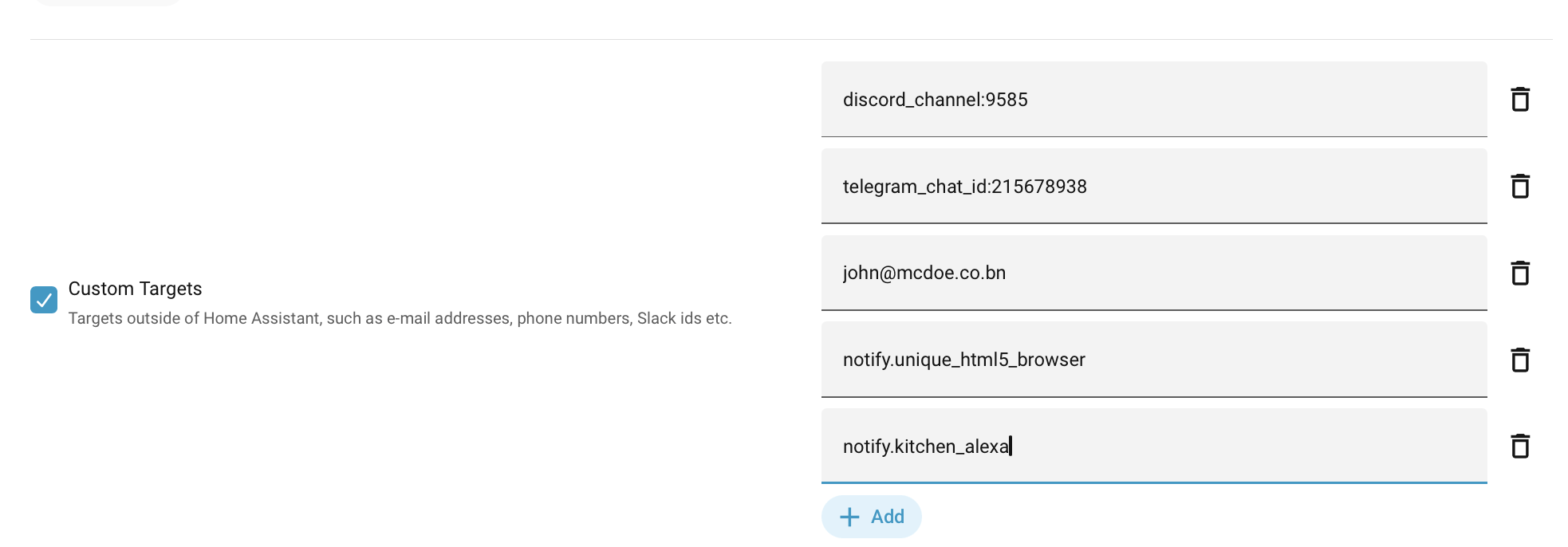
            - telegram_chat_id:215678938
            - notify.alexa_kitchen_announce
Only target categories work as prefixes. Transport and delivery names only work as mapping keys.
In the Home Assistant Actions UI, the Custom Targets section can be used to add in anything you like. This is in addition to the regular targets, so for things like notify entities, it's easier using that selector, or choosing them by area, floor or label.
Precise Targeting
Precise targeting says exactly what each target is, or exactly which delivery it's for, so nothing is left to guesswork.
Category Mapping
This is a more precise way of specifying targets, since the values are used exactly as given, with no prefix parsing. It's useful if an address happens to start with something like topic:.
  - action: supernotify.notify
    data:
        message: Something went off in the basement
        target:
            discord_channel: 0987654321
            email:
              - jjh@34acacia.avenue.com
              - bigdave@34acacia.avenue.com
            entity_id: notify.alexa_kitchen_announce
            topic: devices/switches/sirens
A key doesn't have to be a target category. It can also be:
- a transport name, such as
sms, which reaches every delivery using that transport - a delivery name, such as
html_email, which reaches only that delivery
  - action: supernotify.notify
    data:
        message: Something went off in the basement
        target:
            email: jjh@34acacia.avenue.com
            html_email: bigdave@34acacia.avenue.com
Here jjh gets both the plain and the HTML email, and bigdave gets only the HTML one. email is a category here, so it reaches every delivery that takes email addresses, html_email included.
Yes, this is a bit of a mixed bag
Mapping keys can be target categories, transport names or delivery names, and some names, like email, are more than one of these at once. It isn't the tidiest design. It was a deliberate trade-off to make target as flexible and quick to write as possible, but it can make it hard to see at a glance where a target will end up. If you want to be sure, use the more formal structure in the next section, which always works.
Target Defined within Delivery
Targets set inside a delivery in the delivery section go only to that delivery, and replace anything else it would have picked up. This is the way to give deliveries of the same kind completely separate addresses:
  - action: supernotify.notify
    data:
        message: Something went off in the basement
        delivery:
            email:
                target: jjh@34acacia.avenue.com
            html_email:
                target: bigdave@34acacia.avenue.com
            discord:
                target: 0987654321
            alexa_devices:
                target: notify.alexa_kitchen_announce
It's wordier than a plain target, but it's the same structure used to tune everything else about a delivery, so it's worth using when you're setting more than just the target. It also tends to fit better in configuration than in automation actions. See Scenarios for how to use these pre-set bits of config.
scenarios:
  red_alert:
      delivery:
        sms:
          target:
            - +4493932323200
            - +4403049939390
        alexa_devices:
          target:
            - group.all_alexas
      media:
        camera_entity_id: camera.porch
Targets in Delivery Configuration
A delivery can also have its own target in its configuration, or inherit one from the delivery_defaults of its transport. This is separate from the targets on the notification, and the delivery's target_usage option decides what happens when there are both.
target_usage | When the delivery's own targets are used | Targets on the notification |
|---|---|---|
no_action | Only when the action call has no target at all. This is the default | Used |
no_delivery | Only when none of the notification's targets are usable by this delivery | Used |
merge_delivery | Added, but only when the notification already has a target for this delivery | Used |
merge_always | Always added | Used |
fixed | Always, and nothing else | Ignored |
"Targets on the notification" covers everything that isn't the delivery's own: the target on the action call, the people it names, and the default recipients used when there's no target.
The difference between no_action and no_delivery shows up when the notification has targets, but none this delivery can use. Here the action call has only an email address, so with the default no_action the siren delivery gets no target, and no_delivery lets it fall back to its own:
  - action: supernotify.notify
    data:
        message: Something went off in the basement
        target: jjh@34acacia.avenue.com
Similarly, merge_delivery only adds to a delivery that was already going to send, which suits a copy address on an email, while merge_always will make the delivery send even if it had nothing else to send to. Use fixed when the delivery should reach the same targets whatever is on the notification, including when a person is targeted.
See Controlling Targets for the related target_required option, and the Fixed Targets and Email CC recipes for worked examples.
Debugging
In the archived JSON, each delivery has an envelope with the targets assigned to it. There's also a field uncategorized_targets that lists ones that couldn't be understood and were ignored, and a field unassigned_targets for those that could be categorized but didn't get selected by a delivery.
Not All Transports Have Targets
Also worth noting that some transports don't have targets at all, like the Persistent one. There's a handy table in the Developer documentation, Transport Configuration